
Scorecard templates
A scorecard template is the reusable definition of what a single interviewer fills out after a conversation with a candidate. You define them once here and attach them to interview rounds in the job wizard. Every scorecard also includes a fixed Overall Recommendation field with 5 options from Strong No to Strong Yes.
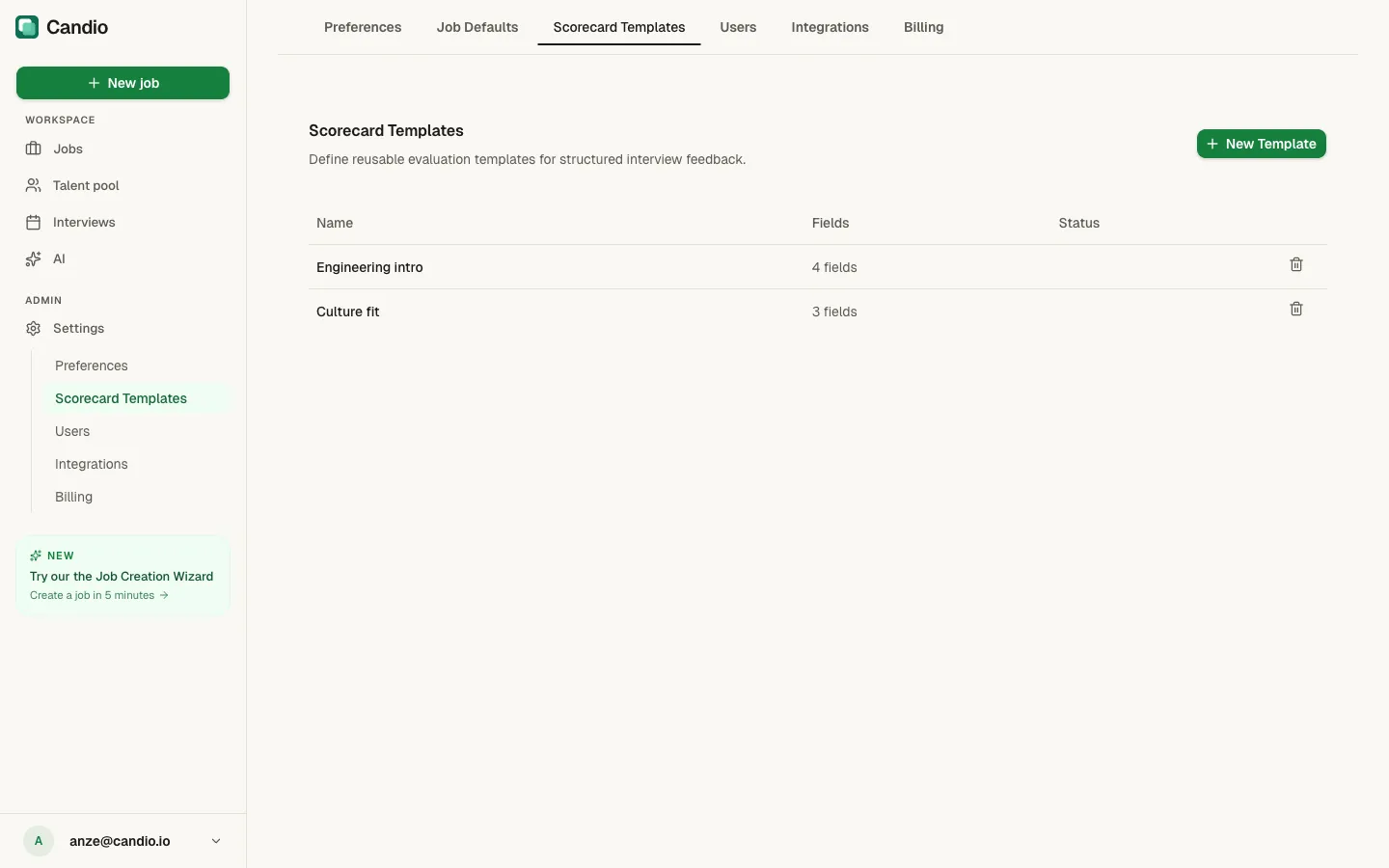
The template list
Section titled “The template list”Columns: Name · Fields · Status. Click any name to open the editor. Click the trash icon on a row to delete a template (can't delete one that's currently assigned to a job's default or a round).
+ New Template (top-right) creates a fresh template.
The template editor
Section titled “The template editor”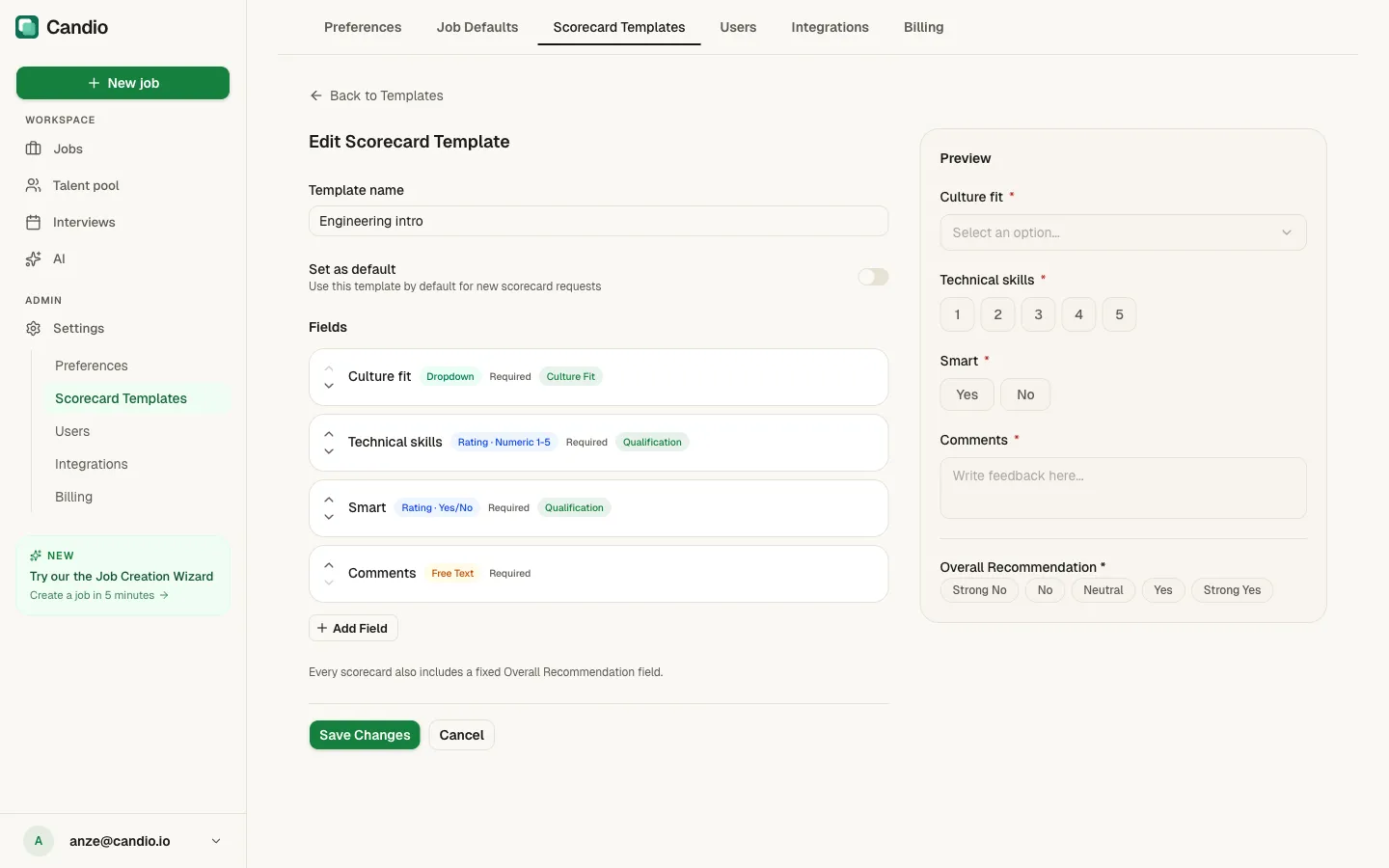
Basics
Section titled “Basics”- Template name — descriptive, e.g. Engineering intro, Tech screen, Culture fit round.
- Set as default toggle — when on, this template is used for every job's default scorecard unless overridden on the job itself.
Fields
Section titled “Fields”Click + Add Field to append a new field. Each field has:
- Label — the question the interviewer sees.
- Type — one of:
- Rating · Numeric 1–5 — a row of 1–5 buttons. Interviewers see "No hire" on the left and "Strong hire" on the right.
- Rating · Yes/No — Yes / No buttons.
- Dropdown — a custom select with your options (e.g. Strong / Good / Weak).
- Free Text — a textarea for open commentary.
- Required toggle — must the interviewer fill this in to submit?
- Category chip — a tag that groups the field into one of the four trait buckets (Culture Fit, Qualification, Communication, Drive) shown on the candidate page's hexagon radar.
Reorder fields by dragging the up/down arrows on the left of each row.
Preview
Section titled “Preview”The right column is a live preview of exactly what an interviewer will see — including the fixed Overall Recommendation buttons at the bottom (Strong No · No · Neutral · Yes · Strong Yes). This field is automatic and can't be edited.
Click Save Changes (bottom-left green button). Cancel to discard.
What template edits change
Section titled “What template edits change”- Future requests pick up the new version immediately.
- In-flight requests (sent but not yet submitted) pick up the new version when the interviewer opens the link.
- Already-submitted scorecards are frozen against the version the interviewer saw at submission. Editing the template never rewrites past feedback.
How templates get used
Section titled “How templates get used”- Job default — every job picks one template as its default in the wizard Step 4. Rounds that don't override the template fall back to it.
- Per-round — each round in a job's wizard can override the default with its own template. Use this when different rounds grade for different things (e.g. a tech screen grades technical skill; a culture round grades culture fit).
- Ad-hoc requests — when you request a scorecard from the candidate page and pick an ad-hoc round, you choose the template on the spot via Change.