
AI credits
Every AI action in Candio costs exactly 1 credit. Your plan includes a monthly allowance; credits reset on your billing anniversary. When you're out, AI features pause — everything else (jobs, applications, emails, scorecards) keeps working.
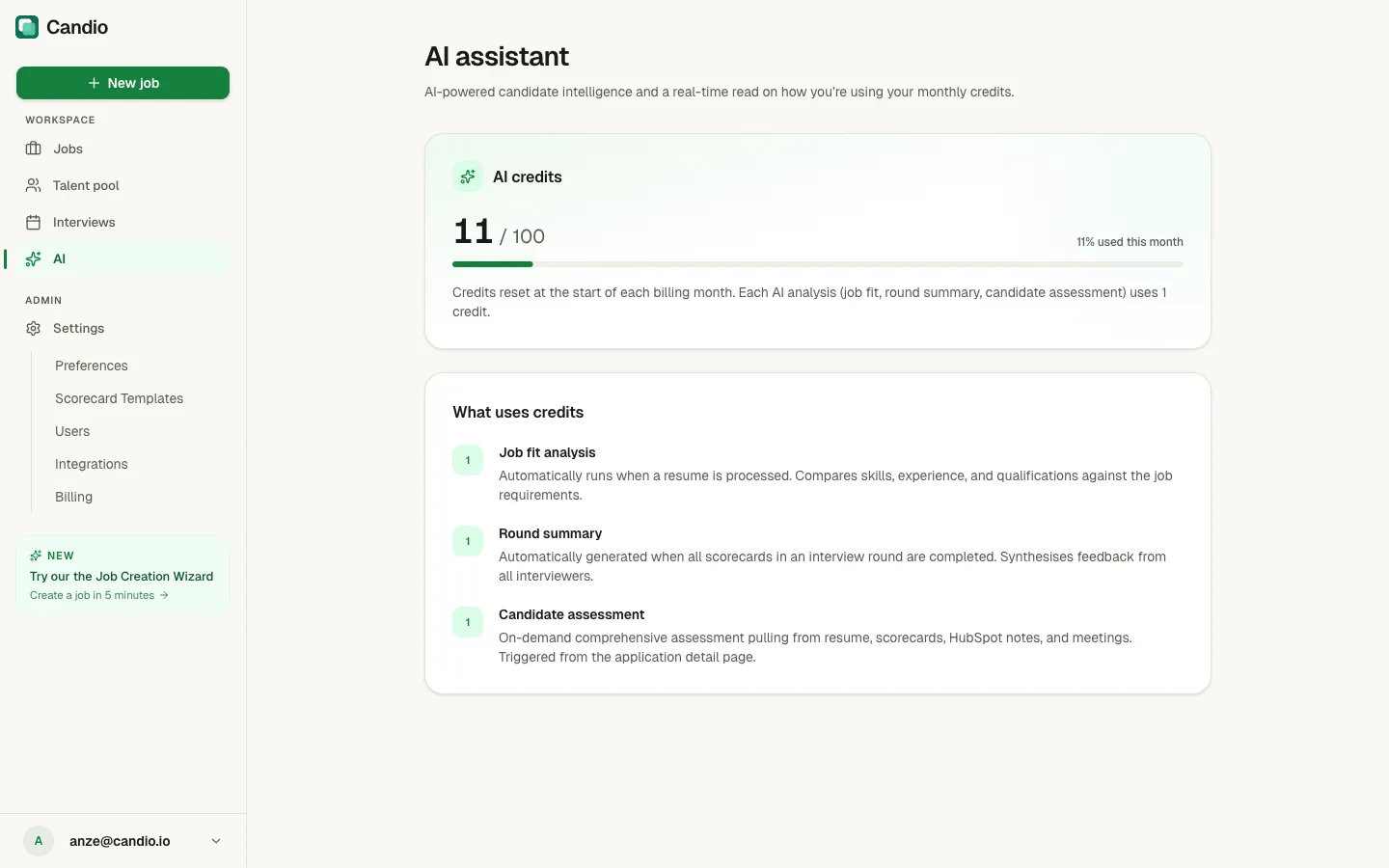
The AI page
Section titled “The AI page”Click AI in the sidebar. You see:
- Your current balance —
X / Y— and a progress bar showing the percentage used this month. - The copy "Credits reset at the start of each billing month. Each AI analysis (job fit, round summary, candidate assessment) uses 1 credit."
- What uses credits — a rundown of each AI action and what triggers it.
What uses credits
Section titled “What uses credits”Three features. Each call costs 1 credit.
Job fit analysis
Section titled “Job fit analysis”Trigger: automatic when a resume is processed (new application submitted or manual intake). Once per candidate per job. Output: overall-fit pill (STRONG / GOOD / PARTIAL / WEAK), summary, matched skills, missing skills, concerns list. Shown on the candidate's Job Fit card.
Round summary
Section titled “Round summary”Trigger: automatic when all scorecards in an interview round have been submitted. Output: ADVANCE / HOLD / REJECT recommendation, consensus, key insights, disagreements list. Shown on the candidate page per round.
Candidate assessment
Section titled “Candidate assessment”Trigger: manual — click Generate Assessment on the candidate page. Re-runnable with Regenerate (each run = 1 new credit). Output: recommendation, summary, strengths, concerns, risk flags, case-for / case-against. Shown on the candidate page.
See Job fit, Assessments, and Round summaries for details on each.
What happens when you run out
Section titled “What happens when you run out”Automatic actions (Job Fit on new applications, Round Summary on round completion) stop quietly. Applications still process normally; they just skip the AI step and land in the pipeline without a Job Fit card.
Manual actions (Candidate Assessment) show "Monthly credit limit reached" where the Generate Assessment button usually lives.
No existing AI output is erased — assessments you already generated stay on the candidate page.
How to get more credits
Section titled “How to get more credits”- Wait — credits reset automatically on your billing anniversary.
- Upgrade — under Settings → Billing pick a higher-tier plan. The new allowance becomes available immediately.