
Integrations
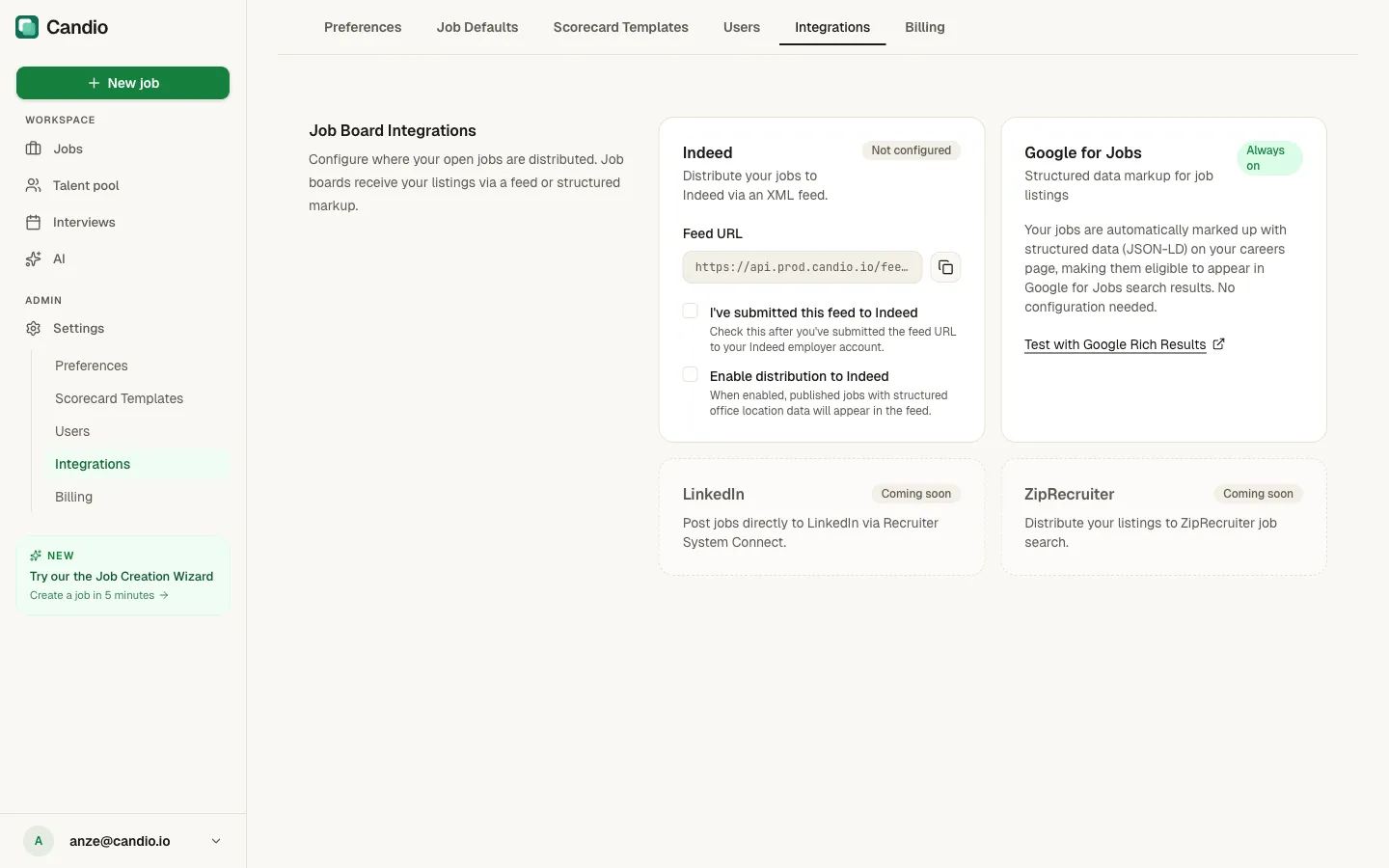
Settings → Integrations is where you configure job-board distribution. Candio ships with Indeed and Google for Jobs out of the box; LinkedIn and ZipRecruiter are coming soon.
Indeed
Section titled “Indeed”Candio generates an XML job feed Indeed can pull. Status chip on the card tells you where you stand: Not configured → Active.
To connect:
- Copy your Feed URL (looks like
https://api.candio.io/feeds/...) using the copy button on the right of the URL field. - Submit that URL to Indeed through your Indeed Employer account — Indeed Help → "XML feed" or Support → "I'd like to submit an XML feed".
- Indeed reviews and begins indexing. This typically takes hours to a day.
- Check I've submitted this feed to Indeed once you've submitted. (Visual state — doesn't trigger anything on Indeed's side.)
- Check Enable distribution to Indeed to activate the feed so published jobs with complete office location data appear in it.
What Indeed needs from you
Section titled “What Indeed needs from you”- Company Name, Logo URL, Address (under Preferences).
- Every office that hosts an active job must have all required location fields (City, State, Country, Postal Code). Offices missing data show a warning and get dropped from the feed.
- At least one Open job.
Google for Jobs
Section titled “Google for Jobs”No configuration. Candio automatically injects JSON-LD structured-data markup into every published job's careers-page URL. Google's crawler reads it and may list the role in Google Search's job carousel.
The card shows Always on when your careers page is enabled. Click Test with Google Rich Results to open Google's Rich Results validator pre-filled with a job URL — a good way to verify a specific role is markup-compliant before waiting for Google to index it.
Google for Jobs eligibility requires:
- Fully filled office location data (see Indeed above — same requirements).
- Valid salary range on the job (if you opt to show it).
- Unique job title (avoid duplicates across active jobs).
- Your careers page being publicly reachable (see Preferences → Careers Page).
LinkedIn & ZipRecruiter
Section titled “LinkedIn & ZipRecruiter”Coming soon. The cards are placeholders; connecting is not yet possible. We're targeting LinkedIn Recruiter System Connect (direct post) for LinkedIn.
HubSpot
Section titled “HubSpot”HubSpot is connected automatically during workspace creation — there's no card for it here because there's nothing to configure. Every application, stage change, scorecard submission, and hire syncs to your HubSpot portal's Contacts + custom objects. See Review candidates.
If HubSpot sync needs to re-run (e.g. after a permission scope change), use Preferences → Refresh workspace setup — not this page.